Trading Execution: Cut Latency, Fill Faster
Featured image: Trading Execution: Cut Latency, Fill Faster
Speed wins entries and exits, but raw speed without control can cost you on price. If you are trading options through Interactive Brokers, your execution quality comes down to two variables you can influence right now: reduce decision latency on your side, and reduce transmission latency on the path from your desktop to the exchange. This guide shows you how to cut both so you fill faster, with fewer keystrokes and less slippage.
What traders really mean by execution speed
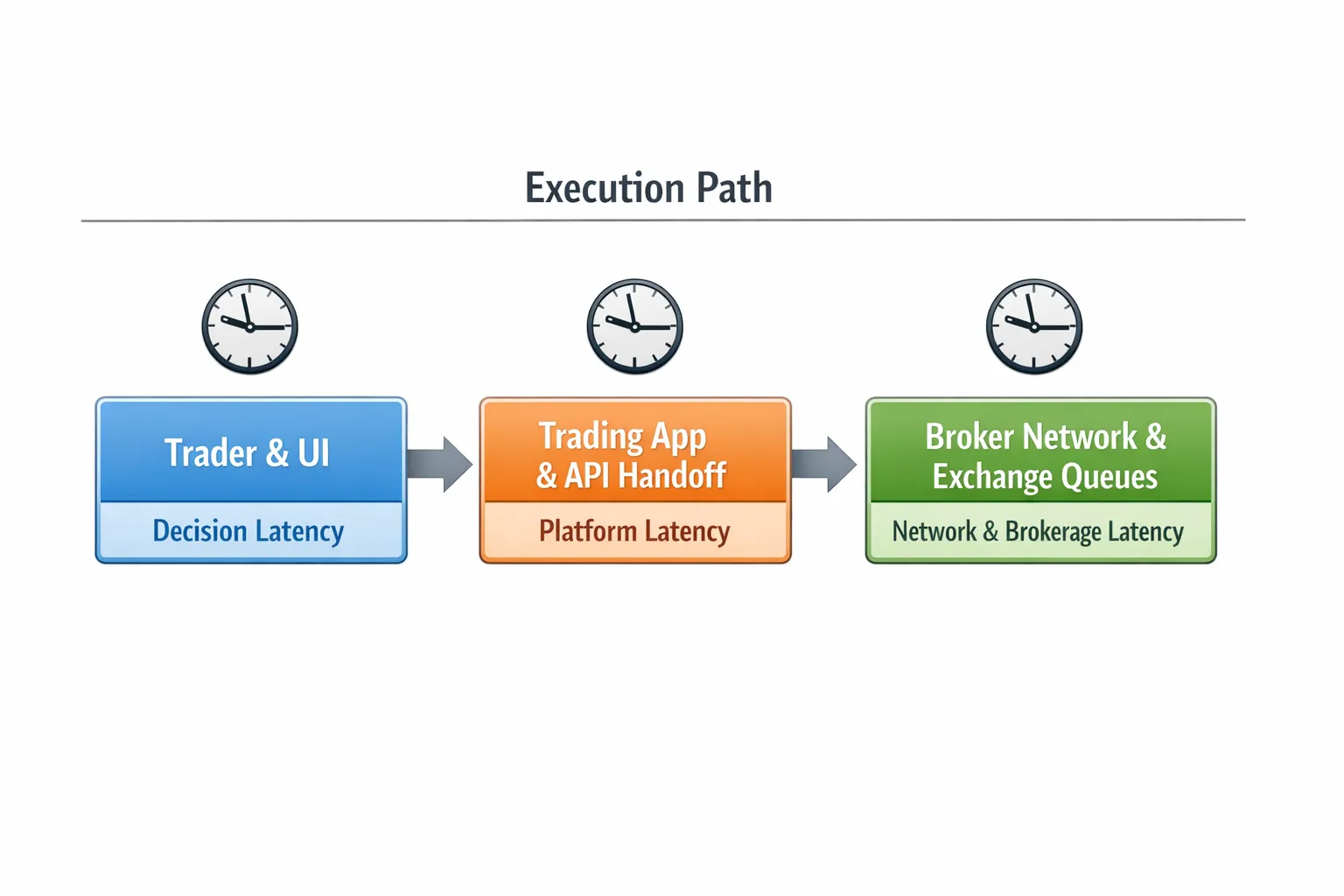
Execution speed is not one thing. It is a chain of small delays that add up to missed fills or unnecessary overpaying.
- Decision latency, the time it takes you to see the right contract and submit the right order.
- Platform latency, the time your app needs to build the order and hand it to Interactive Brokers through the API.
- Network and brokerage latency, the time from TWS or IB Gateway to IBKR servers, broker risk checks, routing, and queue placement at the exchange.
NeonChainX was built to compress the first two. IBKR handles routing and exchange access. When you improve each layer by a little, the total improvement is big enough to change your fills.
Quick wins you can apply today
You do not need a new computer to shave latency. Start with the basics that consistently close the gap between click and fill.
- Use wired Ethernet. WiFi adds jitter and packet loss under load. Plug in if you can.
- Avoid VPNs and bandwidth-hungry background apps during market hours. Video calls and large cloud syncs add queueing delays.
- Enable high performance power mode. On Windows select High Performance or Ultimate Performance. On macOS plug in power and set Energy Saver to prevent sleep.
- Keep TWS or IB Gateway current. API connectivity and risk checks are continually refined in new builds. See the official docs at TWS API.
- Prefer IB Gateway for API-only sessions. Many API users report lower resource usage and fewer UI overheads than running full TWS. Stability helps keep the pipe open when volatility spikes.
- Test your bufferbloat. Even fast connections can stall under load. Use a reputable test and aim for low latency under load, for example the Waveform bufferbloat test.
Order entry tactics that balance speed and price
Options spreads are wide, and market orders can run away. The goal is to be first in line at a price you will accept.
- Favor marketable limit orders. Send a limit that crosses the spread by a few ticks so it becomes marketable, but cap the maximum price you are willing to pay. This avoids extreme price caps and surprise fills on thin strikes.
- Use Immediate or Cancel for aggressive takes. IOC removes resting exposure if your price is not available, which keeps your intent aggressive without lingering in queues. See a plain-language refresher at Investopedia on IOC.
- Keep order size realistic for the book. A one lot often fills instantly. Larger sizes may partial fill or require a slightly better price to pull hidden liquidity.
- Update do not hesitate. If your order sits at the mid with no prints while the underlying moves, cancel and resubmit a new marketable limit. One decisive price update beats five timid one tick nudges when momentum is running.
- For multi leg combos, let the broker route the combo as a unit. Single leg legging can be faster in calm markets but it increases slippage risk when the underlying is moving.
The latency stack and how NeonChainX helps
| Layer | Typical bottleneck | What to do | How NeonChainX helps |
|---|---|---|---|
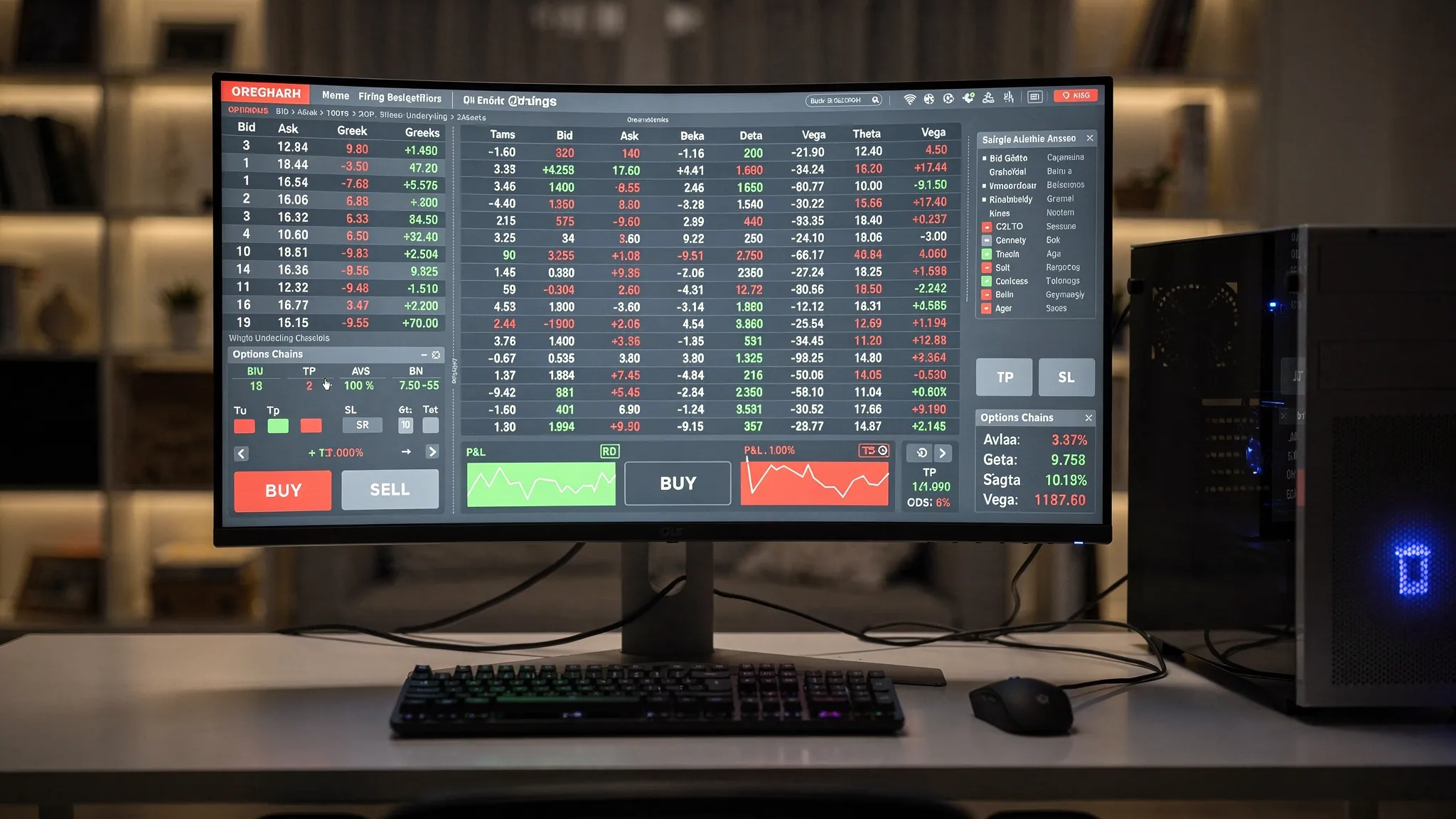
| Decision latency | Hunting for the right strike or expiration, switching symbols, parsing cluttered layouts | Reduce context switching and clicks, keep all chains you care about visible | Instant multi chain view keeps your active expirations and strikes on one screen, visual spread clarity highlights bid ask and Greeks so you act quickly |
| Platform latency | Slow UI, heavy rendering, order assembly overhead | Use a lean native desktop app, avoid web layers in the critical path | Native desktop app with low latency execution focuses compute on order entry and routing, not animations |
| Risk and exits | Manual TP or SL entries after fill | Pre define exits so they fire without manual actions | One click TP SL automation and rule based triggers stage exits as soon as you get the fill |
| Session continuity | Rebuilding your workspace after restarts or crashes | Restore symbols and layouts instantly | Symbol memory restore brings you back to the exact chains and instruments you were trading |
| Ongoing control | Losing track of exposure during fast tape | Track risk and P L live | Live risk tracking and real time P L monitoring keep you decisive without toggling windows |
For platform setup and API connectivity specifics, review the short walkthrough in the Getting Started guide.
IBKR specific tips to reduce friction
These practices will not guarantee a fill, but they reduce the friction between your click and the exchange queue.
- Keep your market data subscriptions aligned to what you trade. Stale or snapshot only data makes you chase.
- Monitor order status closely. If an order sticks in Presubmitted due to price caps or checks, improve your price or resubmit as a marketable limit.
- Choose time in force to match intent. Day for typical orders, IOC for urgent takes. Good till Canceled for working exits that must persist.
- Respect exchange hours and halt conditions. Rules based triggers operate while markets are open, so stage them before the open if you need immediate action at the bell.
- Separate decision and execution machines only if you can justify the complexity. For most traders a single well tuned desktop running IB Gateway is simpler and reliable.
If you are new to configuring exits with NeonChainX, the walkthrough on TP SL automation covers step by step settings and tips for monitoring active rules.
A practical execution checklist
Use this during volatile sessions when fills matter most.
- Pre market, reboot your machine, launch IB Gateway or TWS, then launch NeonChainX. Confirm data updates, API connection, and P L streaming correctly.
- Plug in Ethernet and close background apps. Confirm your latency under load is stable.
- Load your active symbols and expirations in the multi chain view. Pre stage common order sizes.
- Define TP SL rules for each planned position. Set your default exit quantity and price logic.
- During entry, send a marketable limit that respects your max price. If not immediately filled, cancel and replace with intent, not hesitation.
- After fill, verify exits are armed. Do not retype them under stress if you can automate.
- Post session, review fills against the NBBO at the time you clicked. Adjust your crossing ticks for the next session.
When faster is not better
A faster pipeline will not fix poor price discipline. If you regularly pay through the ask or sell below the bid, speed is amplifying a strategy flaw. Execution should compress delay without abandoning price control. Marketable limits, staged exits, and a clean workspace combine speed with discipline.
Troubleshooting slow or inconsistent fills
- My orders are delayed or stuck. Check that your order is marketable and not blocked by a price cap. Improve your limit or change TIF to IOC for urgency.
- I see fast quotes but slow fills. Quotes are not guarantees. Compare your order size to displayed size and consider partial fills. You may be behind resting size at the same price.
- Fills are slower during news. Broker risk checks and exchange load increase under stress. Pre stage orders and be decisive with price when volatility spikes.
- The app feels laggy. Ensure you are on the latest NeonChainX build and IB Gateway or TWS version, close background tasks, and switch to Ethernet.
Frequently Asked Questions
Is SMART routing slower than directing to a specific exchange? It depends on conditions. SMART routing often improves both price and speed by scanning venues in parallel. Direct routing can be faster for specific instruments when you know where liquidity sits, but it requires more management.
Should I ever use market orders for options? Many options traders avoid pure market orders because spreads can be wide. A marketable limit gives you urgency and control over the worst acceptable price.
Will IB Gateway execute faster than TWS? Both connect to the same backend. IB Gateway often uses fewer local resources, which can improve stability and reduce local delays.
Does WiFi really matter for trading execution? Yes. WiFi adds jitter that shows up at the worst times, during volume spikes. Ethernet removes a frequent source of variability.
What is the best time in force for speed? IOC is useful when you want an immediate take or nothing. For working orders and exits, Day or GTC is more appropriate.
Where can I learn more about the IBKR API and order states? The official reference is the TWS API documentation, which covers connectivity, order fields, and status events.
Cut latency, fill faster with NeonChainX
If you are trading options through Interactive Brokers and you want fewer clicks to a cleaner fill, NeonChainX keeps the path short. You get instant multi chain visibility, low latency execution with direct IBKR integration, and one click TP SL automation so exits do not slow you down when the tape heats up.
- Start now with the Getting Started guide.
- Learn to pre stage exits in seconds with TP SL configuration.
- Explore the platform at NeonChainX.
Trade fast, control price, and let automation handle the rest.