IB Gateway vs TWS: Which Is Faster?
Featured image: IB Gateway vs TWS: Which Is Faster?
When you trade options intraday, “fast” is not a vibe, it is a measurable edge. The two most common ways to connect applications to Interactive Brokers are Trader Workstation (TWS) and IB Gateway. Both can route orders to the same broker infrastructure, but they behave very differently on your machine, which is often where traders accidentally add latency.
This guide breaks down IB Gateway vs TWS with one question in mind: which is faster for options trading, especially for day traders and scalpers?
What “faster” actually means (and what it does not)
Before comparing TWS and IB Gateway, define the latency you care about. Traders often talk past each other because they mean different things.
Speed that TWS or IB Gateway can influence:
- Platform latency: how quickly your trading software can process market data, update your options chain view, and send an order.
- API responsiveness: how quickly your app receives acknowledgements, order status updates, and position/P&L changes.
- Stability under load: whether the connection stays smooth when you have many market data subscriptions, multiple option chains, or rapid order edits.
Speed they usually cannot change much:
- Exchange-side matching: the time it takes the venue to fill once your order is routed.
- Broker routing logic and risk checks: core IBKR order handling is largely the same regardless of whether you connect via TWS or IB Gateway.
So the practical question becomes: which tool adds less overhead on the trader side of the pipe?
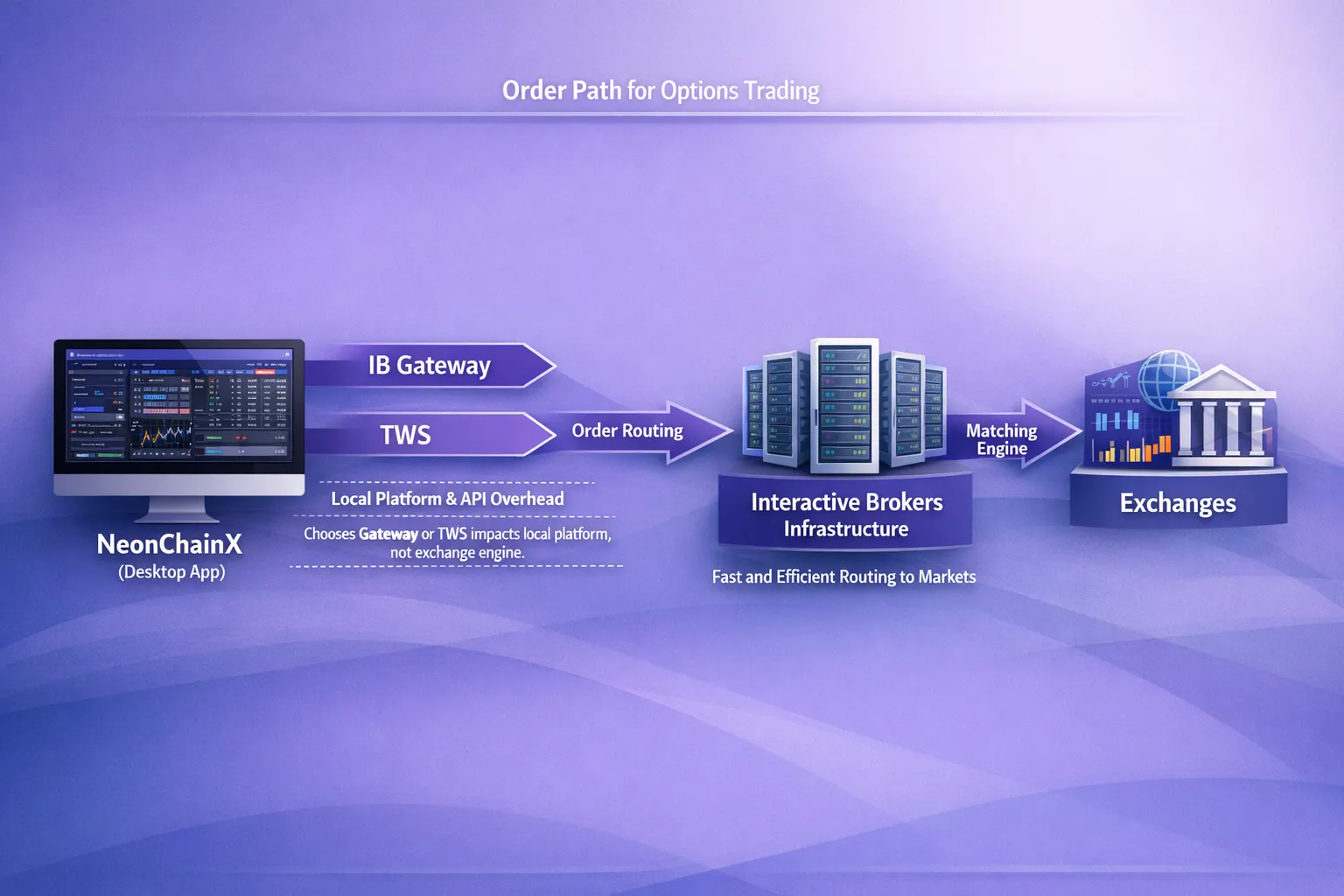
TWS vs IB Gateway: the architectural difference that matters
Trader Workstation (TWS)
TWS is Interactive Brokers’ full desktop platform. It includes:
- A complete GUI (charts, watchlists, scanners, news, analytics)
- Manual order entry tools
- The same API interface many third-party platforms connect to
Because it is a full-featured workstation, TWS typically consumes more CPU and memory, and it has more moving parts updating on screen.
IB Gateway
IB Gateway is a lighter companion application designed primarily to provide a stable API connection without the full TWS interface. It is commonly used for:
- API-based trading setups
- Running a “headless” or minimal UI broker connection
- Keeping the trading connection clean while you trade through another options trading platform
In most real-world setups, Gateway’s advantage is simple: less UI, less overhead, fewer distractions for the machine to process.
For reference, Interactive Brokers maintains API documentation and download information on the IBKR API site and in their Client Portal / TWS documentation.
Which is faster in practice?
The short, practical answer
For most traders using an external options trading software (especially for fast options trading and automation), IB Gateway is usually faster and more consistent because it is lighter.
The more accurate answer
If you run both on the same machine with the same network, your “speed” difference is typically:
- Not about IBKR routing, it is about local performance and workflow.
- Most noticeable when you are pushing a lot of updates (busy underlyings, many strikes, multiple expirations, rapid order updates).
In other words, Gateway tends to win on consistency, which is what scalpers actually need.
Side-by-side comparison (speed-focused)
| Category | IB Gateway | TWS |
|---|---|---|
| Typical local overhead | Lower (minimal interface) | Higher (full workstation GUI) |
| Best fit | API-first trading setups, automation, low-latency execution | Manual trading plus API, all-in-one workstation |
| Consistency under load | Often better (fewer UI elements to render) | Can degrade if many windows/tools are running |
| Manual trading directly in the app | Not the point (limited compared to TWS) | Strong (built for discretionary manual execution) |
| Operational simplicity | Great once configured, but you must manage monitoring separately | Convenient for monitoring and trading in one place |
| Common use among active traders | “Gateway for execution, separate tools for decisions” | “TWS for everything” |
If your priority is options trading with low latency, Gateway is usually the cleaner foundation.
Where TWS can be “fast enough” (and sometimes preferable)
TWS can still be the right choice if:
- You rely heavily on TWS-native tools (complex monitoring layouts, scanners, alerts, specific order staging workflows).
- You want a single window for “see it and trade it” with minimal operational complexity.
- You need a robust manual fallback inside the same application that hosts your connection.
The tradeoff is that TWS’s strength (features) is also what can create friction for professional options trading tools that already provide their own optimized UI.
Where IB Gateway tends to win clearly
Gateway is usually the better choice if:
- You execute through a dedicated options trading platform for Interactive Brokers rather than through TWS.
- You care about low latency options execution and consistent order acknowledgements.
- You run multi-chain, fast decision workflows where UI bloat is the enemy.
- You want to keep your trading stack focused: one component connects to IBKR (Gateway), another component is your execution interface.
For many day traders, the most stable setup is “Gateway for connectivity, specialized tools for trading.”
A trader’s way to test “which is faster” on your own setup
Because hardware, market data load, and background processes vary, the only honest answer includes testing. You do not need a lab. You need a repeatable workflow.
What to measure
Pick one or two metrics that actually reflect your pain:
- Order submit to acknowledgement: time from clicking “Buy/Sell” to seeing the order accepted.
- Modify latency: time to update a working order (common in options scalping).
- Market data to UI update: how quickly your chain view updates when the underlying moves.
How to run a clean comparison
To avoid fooling yourself:
- Use the same machine, same network (preferably wired Ethernet), same IBKR account, same market data subscriptions.
- Compare during similar market conditions (not open vs lunchtime).
- Keep the number of subscribed tickers and open tools consistent.
- Watch for throttling and pacing behavior, especially if you are pulling lots of data.
If Gateway feels “snappier,” what you are usually experiencing is reduced local contention: fewer UI threads, fewer windows repainting, fewer extra modules running.
Configuration choices that affect speed (more than most traders expect)
If you use TWS
If you prefer TWS but want better responsiveness for fast options trading:
- Keep layouts minimal (fewer watchlists, fewer charts, fewer gadgets updating constantly).
- Close anything you do not need during the trading session (news, scanners, extra tabs).
- Prefer stability over novelty (many pros stick to stable builds during active trading).
TWS can be fast, but it is easier to accidentally make it slow.
If you use IB Gateway
Gateway usually performs best when you treat it like infrastructure, not a workspace:
- Run it as the only IBKR “front end” on the machine when trading actively.
- Keep the host machine clean (limit background apps, avoid heavy browser tabs during high-frequency decision making).
- Make sure your API settings are correct and consistent (ports, client ID, and permissions), as described in your platform’s setup guide.
If your goal is fast options trading software behavior, Gateway is the “do one job well” component.
The real speed edge: workflow latency (not only network latency)
Even if Gateway saves only a small amount of system overhead, the bigger gain for many traders is what it enables: a purpose-built, options-first interface.
If your platform gives you:
- A multi-chain options view (multiple expirations and strikes without constant clicking)
- Clear spread cost visualization
- One-click risk controls like automated TP/SL for options
- Real-time options P&L tracking per position
Then you often cut far more than milliseconds. You cut seconds of hesitation, mis-clicks, and modal dialogs.
That is why many active traders pair IB Gateway with a dedicated, options-focused execution tool.
Recommended setups by trader type
Scalpers and fast day traders (single-name or index options)
- Default recommendation: IB Gateway
- Why: you want the lightest broker connector possible, plus a specialized options trading platform that stays responsive under rapid updates.
Spread traders who still need speed (verticals, calendars, iron condors)
- Often best: IB Gateway
- Why: multi-leg workflows benefit from stable, consistent API behavior, and your edge is frequently in clean chain navigation and fast order staging.
Discretionary traders who live inside IBKR tools
- Often best: TWS
- Why: if your decision-making stack is TWS itself, moving to Gateway can add operational complexity (you will need separate monitoring and execution tooling).
Hybrid approach (common among professionals)
Some traders run:
- IB Gateway as the primary execution connection for their third-party platform
- TWS as an occasional monitor or backup (on a separate machine or used only when needed)
Whether you can run both simultaneously in your specific environment depends on configuration and resource constraints, but conceptually this is a popular way to combine speed with redundancy.
Where NeonChainX fits (and why Gateway often pairs well)
NeonChainX is built specifically for options trading on Interactive Brokers, focusing on speed, clarity, and execution workflow. It connects directly to TWS or IB Gateway (no third-party intermediaries) and is designed to minimize platform and workflow latency.
If your priority is low latency trading and clean execution, IB Gateway is often the better match because it keeps the IBKR side lightweight while NeonChainX handles the options-specific interface:
- Multi-chain view so you can see multiple strikes and expirations in one clean layout
- One-click TP/SL automation for faster, simpler risk management
- Real-time P&L tracking per position
- A desktop-first design focused on fast options trading, not general-purpose clutter
To wire everything up correctly, follow the NeonChainX setup steps in the Getting Started guide. If you are actively trying to reduce end-to-end execution time, you can also pair this article with Trading Execution: Cut Latency, Fill Faster.
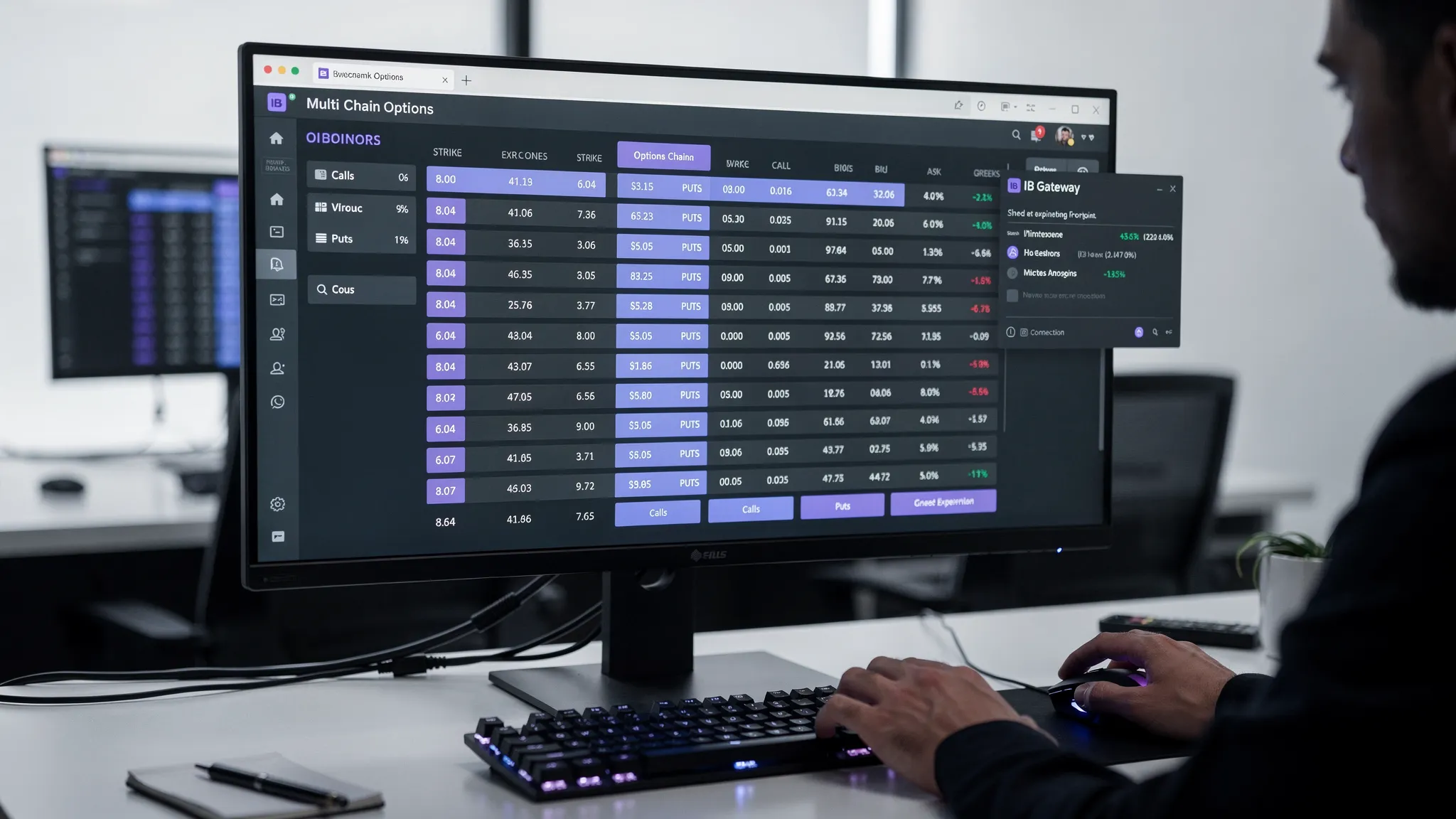
Bottom line: IB Gateway vs TWS for speed
If you are asking “Which is faster?” because you care about low latency options execution and consistent performance during active trading, IB Gateway is usually the better choice.
Choose TWS when you want an all-in-one workstation and you rely on IBKR’s built-in tools for your decision process. Choose IB Gateway when your goal is to keep the broker connection lightweight and do your actual options trading through a specialized, professional-grade interface.
If you want a purpose-built fast options trading platform for Interactive Brokers, learn more about NeonChainX at neonchainx.com and connect it to IB Gateway for a clean, low-overhead execution stack.