How to Open an Option Trading Account
Opening an option trading account is not just another brokerage signup. Options are leveraged instruments, so brokers assess your experience, financials, and risk tolerance before granting permissions. In this guide, you will learn exactly what to prepare, how approvals work, the difference between cash and margin accounts, and how to get from application to your first paper trade. If you use Interactive Brokers, you will also see tips to connect your new account to NeonChainX for fast, professional options execution.
What an Option Trading Account Really Means
A standard brokerage account lets you trade stocks. An option trading account adds permission to buy and sell listed options, often in tiers that unlock strategies as your experience and capital grow. Before approval, every U.S. broker will require that you read the Options Disclosure Document, also called Characteristics and Risks of Standardized Options, published by The Options Clearing Corporation. You can review it on the OCC website for a full understanding of risks and mechanics.
- OCC Options Disclosure Document: Characteristics and Risks of Standardized Options
Decide on Your Setup Before You Apply
Clarity on your intended strategies helps you request the right approval level and reduces delays.
- Account type. Cash accounts restrict you to fully funded positions and cash-secured puts, margin accounts allow borrowing and open more strategies, subject to approval. Retirement accounts can be options enabled, but usually with stricter limits.
- Intended strategies. Covered calls, long calls and puts, and defined-risk spreads are typically approved earlier than uncovered selling.
- Trading frequency. If you expect to day trade often in a margin account, you must understand the Pattern Day Trader rule and capital requirements. FINRA explains these rules clearly: Day Trading Margin Requirements.
- Platform and data. If you plan to use Interactive Brokers with NeonChainX, you will connect via IBKR TWS or IB Gateway and may need real time options market data through your broker.
Documents and Information You Will Need
Brokers collect information to comply with identity verification and suitability rules. Having this ready speeds up approval.
- Government issued photo ID and your Social Security Number or ITIN, non U.S. residents will use local documents and a W 8BEN.
- Proof of address, such as a recent utility bill or bank statement.
- Employment and income information, plus approximate net worth and liquid net worth.
- Investment experience, years of trading, knowledge of options, objectives such as growth, income, speculation, and risk tolerance.
Answer these questions honestly. Your approval level is matched to your profile, and you can request higher permissions later as your experience grows.
Approval Levels, What They Usually Allow
Approval tiers vary by broker, but this is a common framework used in the U.S. Always check your broker’s exact definitions.
| Typical Approval Level | Examples of Allowed Strategies | Notes |
|---|---|---|
| Level 1 | Covered calls, protective puts on long stock | Often permitted in cash, retirement, and margin accounts |
| Level 2 | Long calls and puts, long straddles and strangles | Requires basic options knowledge |
| Level 3 | Debit and credit spreads, defined risk iron condors | Margin required, risk controls emphasized |
| Level 4 | Uncovered calls or puts, ratio writing | Highest risk, significant experience and capital needed |
If you are new to options, consider requesting Level 1 or 2, then upgrade later once you build a record of responsible trading.
Step by Step, How to Open an Option Trading Account
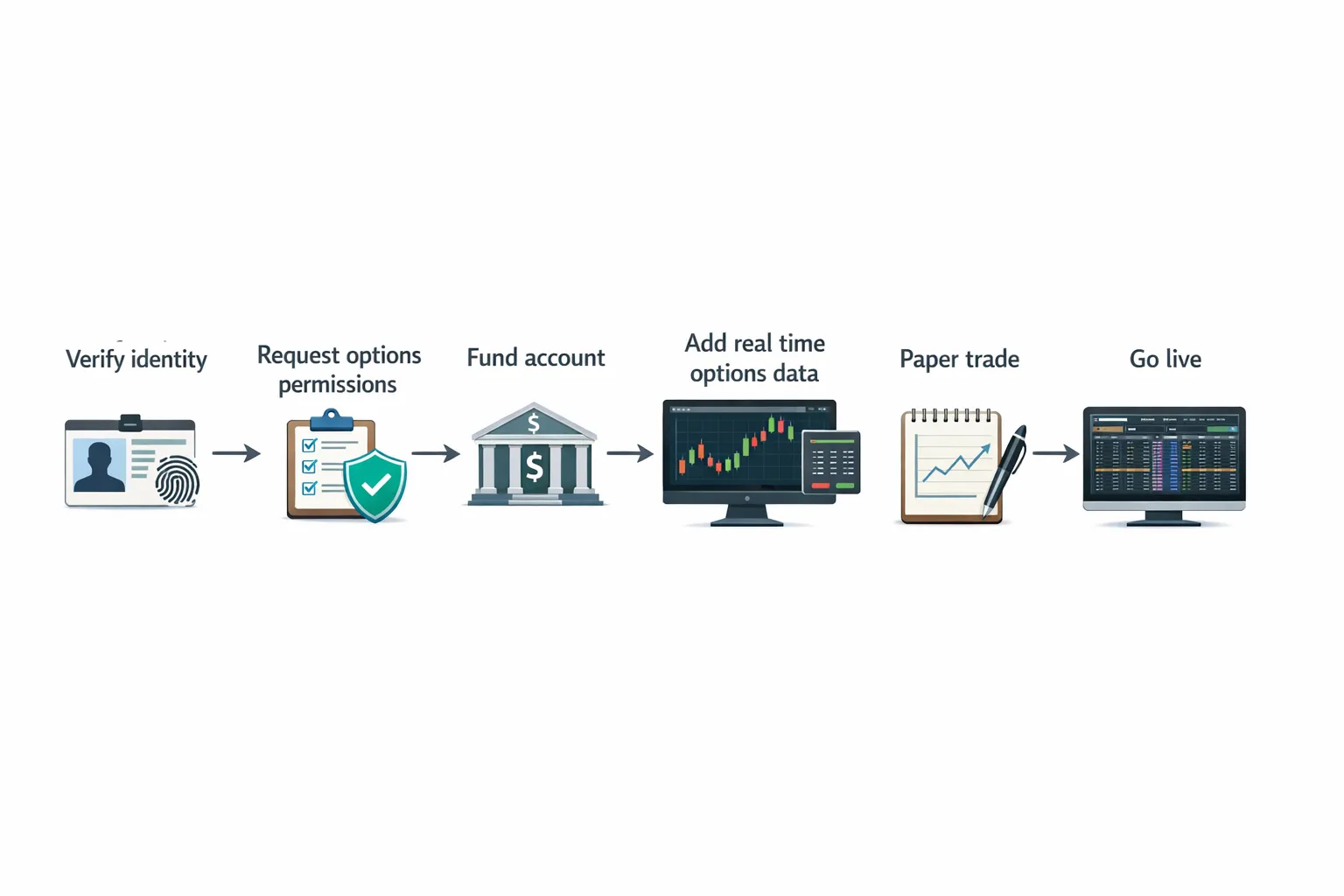
- Choose a broker that supports the products, data, and platforms you need. Interactive Brokers is popular among active traders and integrates directly with NeonChainX.
- Start the online application, select individual, joint, entity, or retirement account as appropriate.
- Enable options trading during the application, you will specify strategy types and margin or cash.
- Complete identity verification and tax forms, W 9 for U.S. persons or W 8BEN for non U.S. persons.
- Fund the account, many brokers allow ACH, wire, or transfer of assets.
- Request or confirm options trading permissions after funding if not already granted, you may need to complete a short options questionnaire.
- Add market data if required for real time quotes, for U.S. listed options this often means an OPRA subscription through your broker.
- Set up paper trading if available, this is the safest way to validate your workflow before placing live orders.
Interactive Brokers, Settings That Matter for Options
Interactive Brokers allows granular control over permissions, market data, and trading tools. A practical path for options traders looks like this:
- Request trading permissions for U.S. options in Account Management, select cash or margin as appropriate and choose the strategies you expect to trade.
- Subscribe to real time market data if needed so your option chains show live quotes, many traders add U.S. options, index data, and the underlying stock exchanges.
- Install IBKR TWS or IB Gateway, NeonChainX connects directly to either for low latency orders and live updates.
- Use the broker’s paper environment to test entry and exit flows before trading live.
Once your IBKR login is ready, connect NeonChainX in minutes using our setup guide: Getting Started with NeonChainX.
Cash vs Margin, and Portfolio Margin
- Cash accounts. Simpler and often approved sooner, you can buy calls and puts and sell cash secured puts. Proceeds settle to cash, which can limit rapid turnover compared to margin.
- Margin accounts. Enable spreads and other strategies that require borrowing, you must maintain minimum equity and observe broker risk parameters.
- Portfolio margin. A risk based framework for experienced traders with larger accounts, it can lower margin requirements on hedged portfolios but increases responsibility to manage tail risk. If you qualify, you must request this specifically and complete additional disclosures.
If you plan to trade intraday frequently, review capital requirements and maintenance rules in advance, especially the Pattern Day Trader rule for margin accounts.
Market Data and Why It Matters
Real time options quotes, greeks, and implied volatility are essential for precise execution. Many brokers provide delayed quotes for free. For active trading and fast fills, subscribe to the appropriate real time packages through your broker so your platform can show accurate bid, ask, and last prices across the chain. Without real time data, you risk stale prices and poor fills.
How Long Does Approval Take
Straightforward applications can be approved within one or two business days after identity verification and initial funding. Requests that include higher risk strategies or entity accounts can take longer. You will usually receive email notifications at each step. If an approval is delayed, check that your experience questionnaire was completed and that funding cleared.
Avoid Common Rejections and Delays
- Mismatch between requested strategies and stated experience. If you are new, start with basic permissions and upgrade later.
- Incomplete documents or address mismatches. Use consistent information across your ID and application.
- Requesting uncovered options without margin sophistication. Build a record with defined risk spreads before asking for the highest tier.
First Trades, Start With a Safety Framework
Even with approval, treat the first month as a systems check.
- Begin in paper trading to confirm your order routing and position management.
- Start with small size, then scale once fills and slippage match expectations.
- Pre define exits. With NeonChainX you can configure one click Take Profit and Stop Loss automation on each position so exits are not left to chance. See our walkthrough: TP and SL Configuration in NeonChainX.
Connect Your Option Trading Account to NeonChainX
NeonChainX is built for speed and clarity on IBKR, so once your account is live you can:
- Pull an instant multi chain view of the underlying you care about, no tab hopping.
- Place orders with low latency execution through IBKR, with visual spread clarity before you send.
- Automate exits with one click TP and SL, track live risk, and monitor real time P and L.
If you have not set up the desktop app yet, follow this guide to install and connect to IBKR TWS or IB Gateway: Getting Started with NeonChainX.
Responsible Options Trading, Read Before You Trade
Options carry significant risk and are not suitable for all investors. Read the OCC Options Disclosure Document linked earlier. The SEC and FINRA provide investor education that is worth your time, even if you are experienced.
- SEC overview of options: Investor.gov, Options
- FINRA on day trading in margin accounts: Day Trading Margin Requirements
Quick Checklist
- Decide on cash or margin, and the strategies you intend to trade.
- Gather ID, proof of address, employment, income, and experience details.
- Apply at your chosen broker, request options permissions suited to your profile.
- Fund the account and add real time options market data if needed.
- Paper trade to validate your workflow, then go live with small size.
- Connect NeonChainX to Interactive Brokers to trade faster with clear risk controls.
When your option trading account is approved, the fastest way to translate intent into execution is to remove platform friction. NeonChainX gives you an instant multi chain view, one click TP and SL automation, and direct IBKR integration, so you can focus on strategy instead of wrestling with windows. Ready to put your new account to work? Download NeonChainX and get connected in minutes.