Back to Blog

Options Symbols Explained: Roots, Expirations, Strikes

Featured image: Options Symbols Explained: Roots, Expirations, Strikes

January 4, 2026

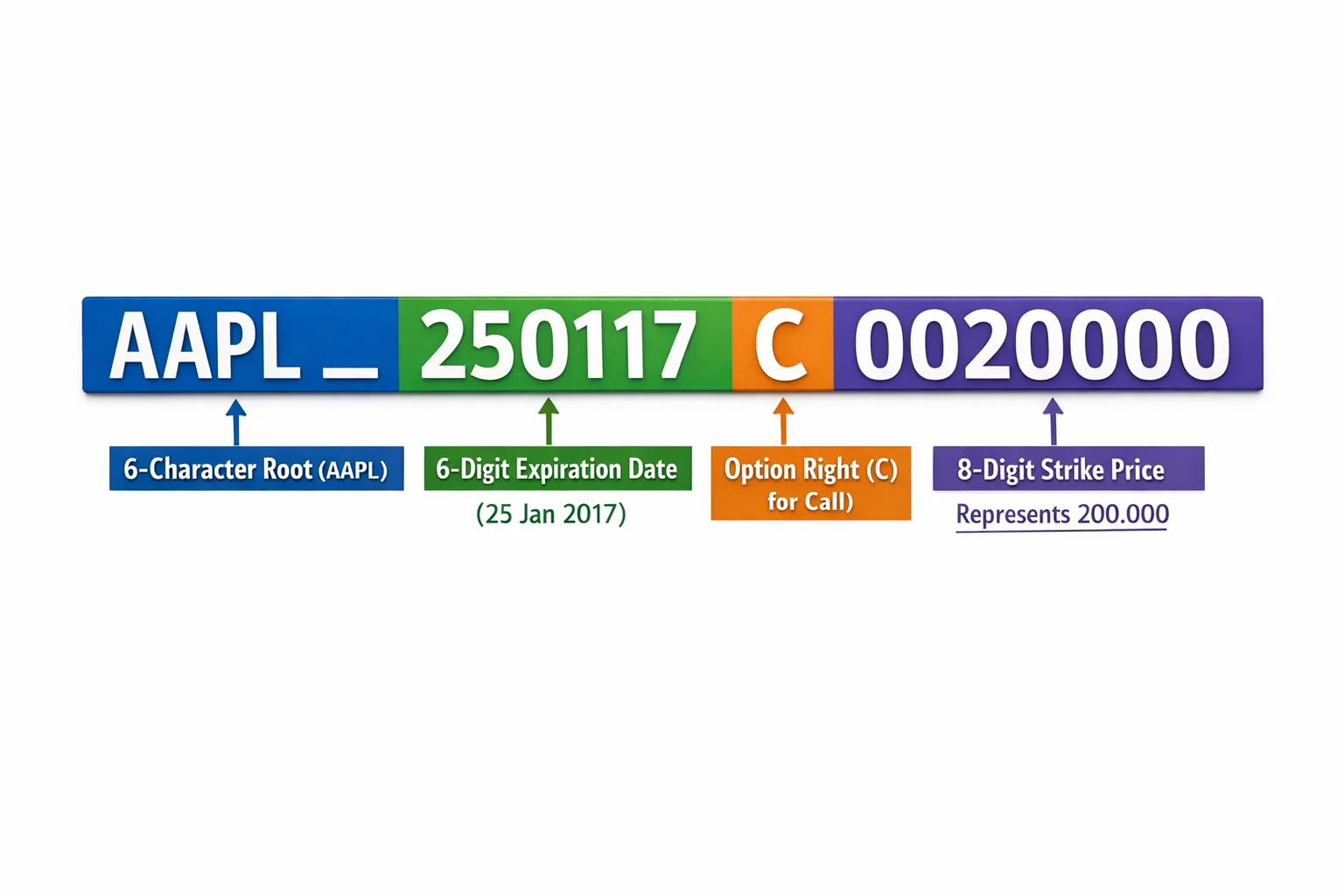
If you have ever stared at something like AAPL 250117C00200000 and wondered what it really means, this guide is for you. Options symbols are compact, precise encodings of the contract you are about to trade, including the underlying, expiration date, right, and strike. Understanding how to read them reduces fat-finger mistakes and speeds up order entry, especially when you are moving across multiple chains and weeklies.

This article breaks down the modern OSI format used across U.S. equity and index options, shows quick ways to decode or assemble a symbol, and highlights nuances you need to know if you trade on Interactive Brokers.

The modern OSI options symbol format

Since 2010 the Options Symbology Initiative standardized how listed U.S. options are represented end to end. The raw OSI code is a 21-character string with four parts:

  • Underlying root, 6 characters, padded with spaces on the right
  • Expiration date, YYMMDD
  • Right, single character, C for call or P for put
  • Strike, 8 digits, strike price multiplied by 1,000
ComponentLengthExampleMeaning
Underlying root6 (padded)AAPL␠␠AAPL, padded to 6 characters
Expiration62501172025, Jan, 17
Right1CCall, P would be Put
Strike800200000200.000, read as 200.000 = 200

Note on padding: In OSI, roots are padded with spaces to 6 characters. Many broker screens drop padding and show a shorter “local symbol.” The contract is the same.

One symbol, two common views

  • Raw OSI, padded: AAPL␠␠250117C00200000
  • Broker shorthand, unpadded: AAPL 250117C200 or AAPL 17 JAN 25 200 C

Either way, this identifies the same contract, the AAPL Jan 17, 2025 200 Call.

Step by step decoding examples

Use the pattern ROOT(6) + YYMMDD + C/P + STRIKE(×1000).

  1. AAPL␠␠250117C00200000
  • Root AAPL, expiration 2025-01-17, Call, strike 00200000 = 200.000
  1. SPX␠␠␠250117P04750000
  • Root SPX, expiration 2025-01-17, Put, strike 04750000 = 4,750.000
  1. IWM␠␠␠240531C00204000
  • Root IWM, expiration 2024-05-31, Call, strike 00204000 = 204.000
  1. Decimal strike example, 100.50 Call on XYZ for 2025-03-21:
  • Strike 100.50 becomes 100500, padded to 8 digits 00100500
  • Symbol: XYZ␠␠␠250321C00100500

A color-coded breakdown of the OSI string “AAPL  250117C00200000,” with labels showing the 6-character root (AAPL with 2 spaces), the 6-digit expiration (250117), the right (C), and the 8-digit strike (00200000) with an annotation that it represents 200.000.

Roots, expirations, strikes, and the nuances that matter

Roots

  • Most equity and ETF options use the exact stock or ETF ticker as the root, for example, AAPL, MSFT, SPY, QQQ.
  • Some index classes have separate weekly roots. A common one is SPXW for SPX Weeklys, while standard SPX monthlies use SPX. Your broker chain will show the right root when you filter by class.
  • Adjusted options, non standard deliverables after corporate actions such as splits or mergers, often carry a numeric suffix, for example, AAPL1, MSFT1. These are distinct classes with altered deliverables. Confirm details in your broker contract description before trading them.

If you want the formal background for why these exist, review contract-class references from the OCC and exchange rulebooks. The OCC, Options Clearing Corporation, coordinates symbology and deliverables across U.S. venues, see The OCC at https://www.theocc.com.

Expirations

  • Monthlies, third Friday expirations, are encoded by their actual calendar date in YYMMDD format.
  • Weeklys and dailys have their precise date as well, which is why you often see multiple expirations in the same week. The OSI code uses the exact YYMMDD, there is no separate flag for weekly vs monthly.
  • Index options like SPX have a mix of AM and PM settlement conventions depending on series. The standard third Friday series for SPX has historically used AM settlement, while many Weeklys are PM settled. Always check the product specs on the listing exchange, for example the Cboe SPX options page, before holding through expiration.

Reference: Cboe SPX options specifications are documented by the exchange at https://www.cboe.com/tradable_products/sp_500/spx_options/.

Strikes

  • The strike is encoded as an integer, strike × 1,000, padded to 8 digits. Examples:
    • 50 becomes 00050000
    • 50.5 becomes 00050500
    • 4,750 becomes 04750000
  • Tick sizes and available strike intervals vary by underlying, price level, and proximity to spot. You will see 0.50 and 1.00 increments most commonly for liquid equities and ETFs, with tighter increments for near-the-money weeklies.

OSI vs what you see in IBKR

Interactive Brokers stores contract attributes separately, underlying, last trade date or contract month, right, strike, exchange, currency, and it also exposes a “localSymbol” that often resembles the OSI code without padding. This means you can search by underlying and pick expiration, right, and strike directly, instead of typing a 21-character string.

For programmatic access, see the Interactive Brokers Contract Details documentation at https://interactivebrokers.github.io/tws-api/contract_details.html. NeonChainX integrates directly with IBKR, so you get real-time contract metadata and can move between expirations and strikes without juggling vendor-specific symbol hacks.

Quick cheat sheet

You have…Convert to OSI strike digitsExample full OSI
200200 × 1000 = 200000 → 00200000AAPL␠␠250117C00200000
204204 × 1000 = 204000 → 00204000IWM␠␠␠240531C00204000
100.5100.5 × 1000 = 100500 → 00100500XYZ␠␠␠250321C00100500
4,7504750 × 1000 = 4,750,000 → 04750000SPX␠␠␠250117P04750000

Tip: If you are hand typing, sanity check length, ROOT must be 6 characters including spaces, date must be 6 digits, right must be C or P, strike must be 8 digits.

Common pitfalls and how to avoid them

PitfallWhat happensHow to avoid
Confusing SPX with SPXWYou select an unintended series, settlement and Greeks differFilter by class in your chain viewer, verify the root before sending
Misreading 0DTE vs next weeklyYou trade a contract expiring today instead of the one you intendedDouble check YYMMDD, confirm time to expiration on the order ticket
Decimal strikes100.5 encoded as 00100500, traders type 00010500 by mistakeMultiply strike by 1000, then left pad to 8 digits
Adjusted contracts with suffixDeliverables are not 100 shares of common stockRead the contract description in your broker, avoid if you do not intend the adjusted deliverable
Typing raw spaces in terminalsPadded spaces get collapsed or clippedPrefer broker shorthand or selection from the option chain

A regex for power users

If you automate checks, a simple validation pattern for the raw 21-character OSI string is:

^([A-Z0-9 ]{6})(\d{6})([CP])(\d{8})$
  • Group 1, root (6 chars with spaces)
  • Group 2, expiration YYMMDD
  • Group 3, right C or P
  • Group 4, strike digits, divide by 1000 for price

Market microstructure note

Options markets are continuous auctions, with bids and offers updating in milliseconds. Standardized symbology is what lets every venue and vendor agree on the exact contract being priced. Auction mechanics show up far beyond finance as well, for example in ecommerce and SaaS pricing. If you are curious about how managed bidding can improve price discovery, look at a dedicated managed bidding platform like Rankbid, which applies controlled auctions to help sellers reveal market value. The domain is different, but the principle is the same, clear identifiers and rules make matching buyers and sellers faster and more reliable.

How NeonChainX helps you move faster and safer

NeonChainX is built for professional options traders who need speed and clarity on Interactive Brokers:

  • Instant multi-chain view, flip across roots, weeklies, and monthlies without losing your place
  • Visual spread clarity, build and review multi leg positions without symbol confusion
  • One click TP or SL automation, take profit and stop loss orders from the portfolio in seconds
  • Rule based order triggers, turn your if this then that entries into repeatable workflows
  • Symbol memory restore, get back to the exact symbols and expirations you were working with
  • Low latency execution and direct IBKR integration, reduce the gap between seeing and sending

New here, follow the quick Getting Started with NeonChainX guide to connect to TWS or IB Gateway. Already trading, set up your exits in advance with our Take Profit and Stop Loss configuration.

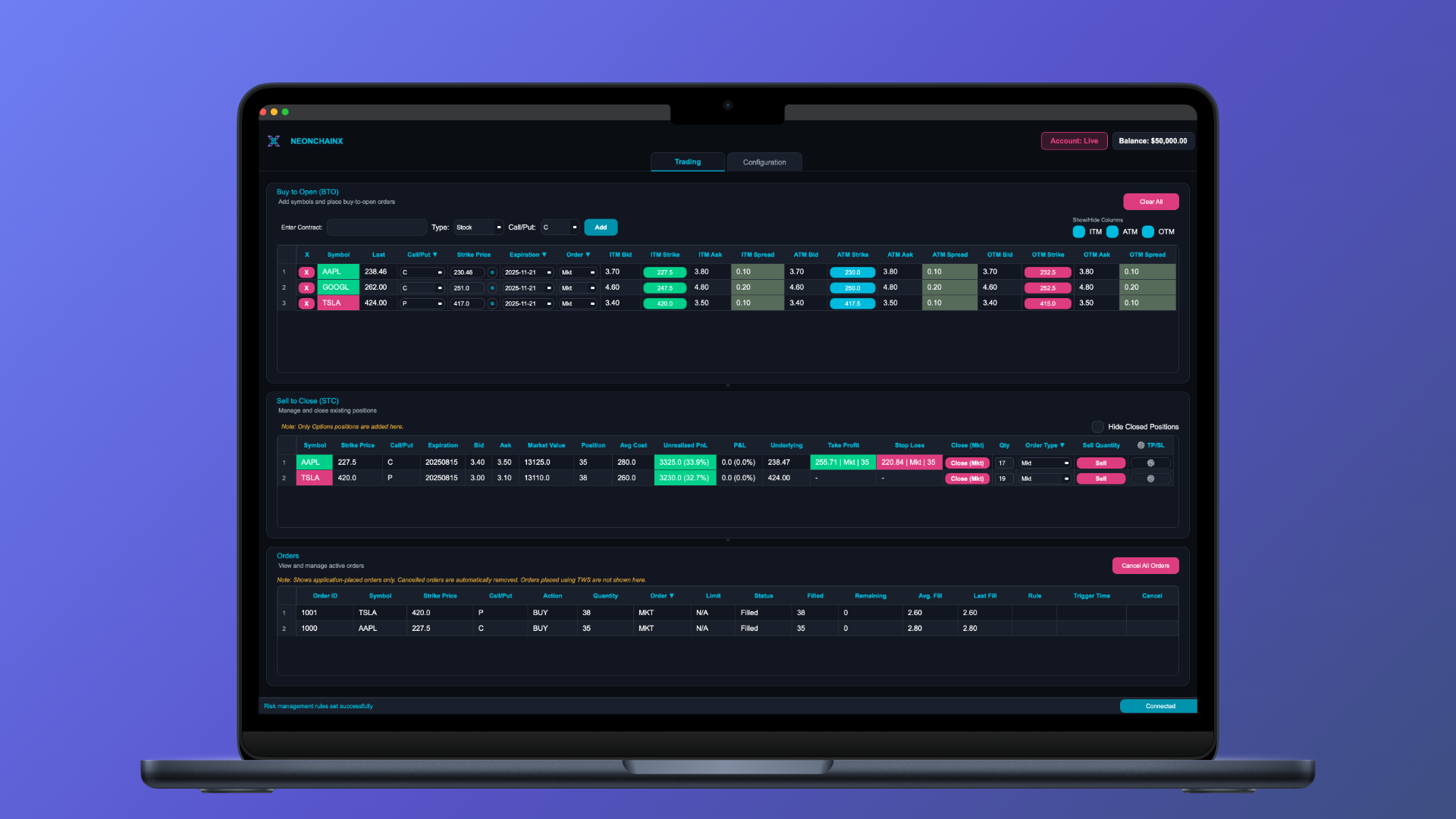
A trader’s desktop showing a clean multi chain options grid for a single underlying, with columns for expirations and rows for strikes, and small labels for calls and puts. The screen emphasizes fast navigation between weekly expirations.

FAQ

Is the OSI format used for all options? Yes for listed U.S. equity and index options. Options on futures often use a different symbology tied to the futures root and month codes, check your exchange and broker.

How do I tell a weekly from a monthly in OSI? The date tells you. There is no weekly flag. If the YYMMDD is the third Friday, it is likely a monthly. Otherwise, it is a weekly or daily series.

What does a numeric suffix in the root mean, for example AAPL1? It usually marks an adjusted, non standard deliverable option class after a corporate action. Verify the deliverable in your broker before trading.

Do LEAPS have a different symbol format? No, they are just longer dated contracts, same YYMMDD format, often out to two or more years.

Why does my broker show AAPL 250117C200 instead of the full 21 characters? Many platforms display a shorthand. The platform stores the same underlying attributes internally, the shorthand is simply easier to read.


Ready to move from reading symbols to trading them faster, try NeonChainX. With instant multi chain views, rule based triggers, and one click TP or SL, you get a clean, blazing fast workstation purpose built for Interactive Brokers users. Download from the homepage and connect in minutes with our getting started guide.